1
/
of
8
Amazon
Anker Laptop Docking Station Dual Monitor, 8-in-1 USB C Hub, 4K Dual Monitor with 2 HDMI, 1 Gbps Ethernet Hub, 85W Power Delivery, SD Card Reader, for XPS and More (Charger not Included)
Anker Laptop Docking Station Dual Monitor, 8-in-1 USB C Hub, 4K Dual Monitor with 2 HDMI, 1 Gbps Ethernet Hub, 85W Power Delivery, SD Card Reader, for XPS and More (Charger not Included)
Regular price
$80.99 USD
Regular price
Sale price
$80.99 USD
Shipping calculated at checkout.
Quantity
Couldn't load pickup availability
About This
- The Anker Advantage: Join the 50 million+ powered by our leading technology.
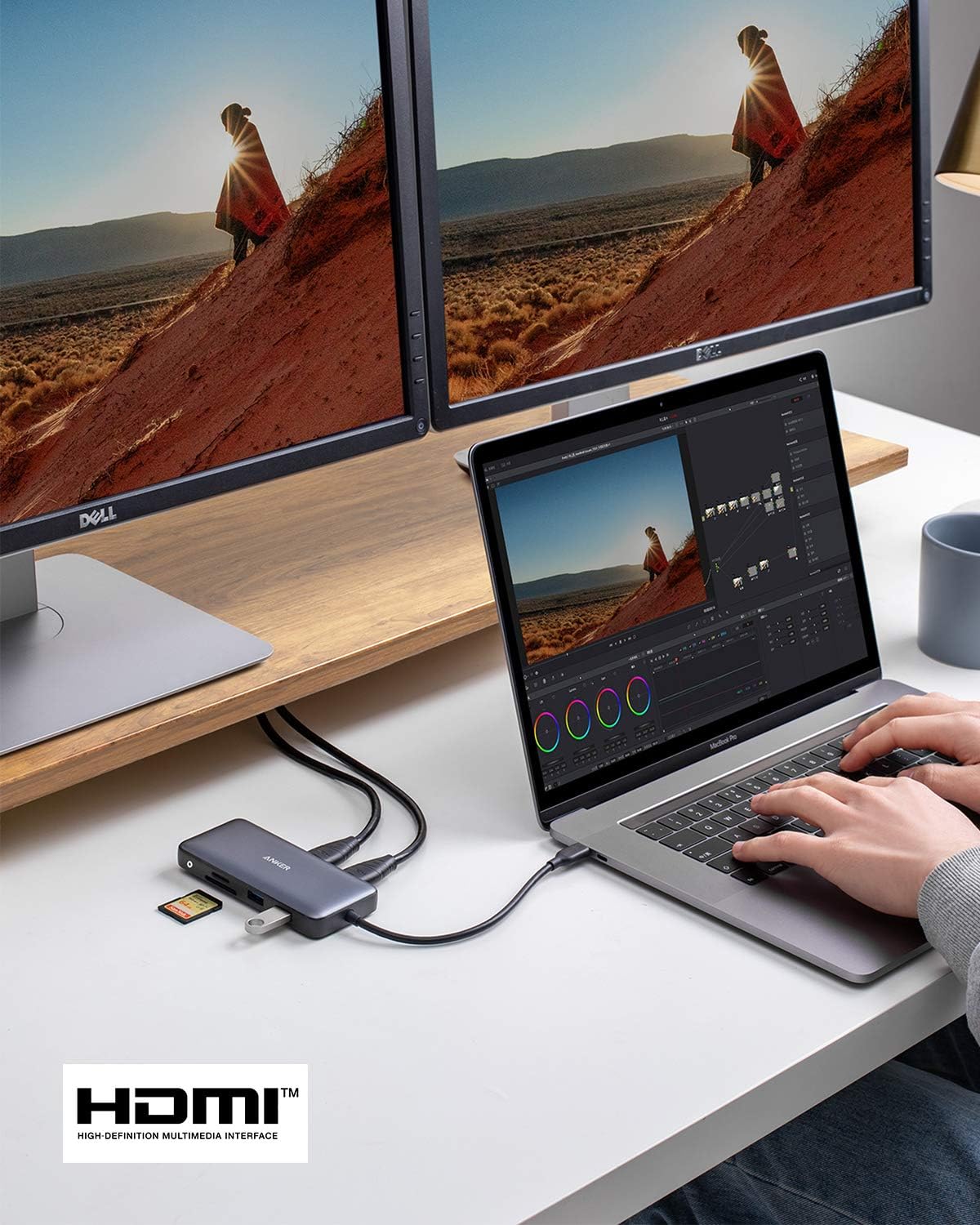
- Massive Expansion: Equipped with a USB C PD-IN charging port, 2 USB-A data ports, 2 HDMI ports, an Ethernet port, and a microSD/SD card reader, giving you an incredible range of functions—all from a single USB-C port.
- Dual HDMI Display: Stream or mirror content to a single device in stunning 4K@60Hz, or hook up two displays to both HDMI ports in 4K@30Hz. Note: For macOS, the display on both external monitors will be identical.
- Power Delivery Compatible: Compatible with USB-C Power Delivery to provide high-speed pass-through charging up to 85W. Please note: 100W PD wall charger and USB-C to C cable required.
- Compatibility: Supports USB-C, USB4, and Thunderbolt connections. Compatible with Windows 10 and 11, ChromeOS, and laptops equipped with DP Alt Mode and Power Delivery. Note: This device is not compatible with Linux.
Overview
- Brand : Anker
- Color : Gray
- Hardware Interface : Ethernet, HDMI, MicroSD, USB 3.0
- Special Feature : HDMI™, Powered
- Compatible Devices : Full Functional USB C Lenovo/HP/Dell laptops, Macbook/iMac (For macOS, the displays on the both external monitors are identical) See more
- Note: Multi-Stream Transport (MST) is not supported on Mac laptops. Monitors connected via HDMI will mirror displays, showing the same image.
- Determining Your DisplayPort (DP) Version
- The version of DP on your laptop, computer, or tablet directly determines the actual resolution when connecting to external monitors using the Anker hub. There are three simple ways to find out which version of DP your device has.
- 2. If you're using a Windows device, you can tell which version of DP you have by checking your CPU generation.
- DP version 1.2 if your CPU is Intel generation 10 or earlier. DP version 1.4 if your CPU is Intel generation 11 or later. DP version 1.4 if you're using a workstation laptop with an NVIDIA GPU.
- Don't know how to find your CPU generation? Simply go to This PC (or My Computer ) > Properties and look for the number (shown in bold and underlined below)
- Processer: Intel(R) Core i7- 8 850H CPU @ 2.60GHz 2.59Ghz
- 3. If you're using a MacBook, iMac, or iPad, you can find your DP version from the list below
- iPad Pro 11-inch, iPad Pro 12.9-inch (3rd generation and later), MacBook Pro (16-inch, 2019), MacBook Pro (15-inch, 2017 and later), MacBook Pro (13-inch, 4 Thunderbolt 3 ports, 2020), MacBook Air (2020), MacBook Air (13-inch, M1, 2020), MacBook Pro (13-inch, M1, 2020), MacBook Pro (14-inch, 2021), MacBook Pro (16-inch, 2021), iMac (Retina 5K, 27-inch, 2017 and later), iMac (Retina 4K, 21.5-inch, 2017 and later), and iMac Pro (2017 and later)
- iPad Air (4th generation), MacBook Air (2018 and later), MacBook Pro (13-inch, 2016 and later), MacBook Pro (15-inch, 2016), iMac (non-Retina, 21.5‑inch, 2017), and Mac mini (2018)
Share