1
/
of
8
Secura Brands
Secura Pomodoro Timer with 1/3/5/10/15/30/60 Min Presets, 3 Level Volume
Secura Pomodoro Timer with 1/3/5/10/15/30/60 Min Presets, 3 Level Volume
Regular price
$31.98 USD
Regular price
Sale price
$31.98 USD
Shipping calculated at checkout.
Quantity
Couldn't load pickup availability
About This
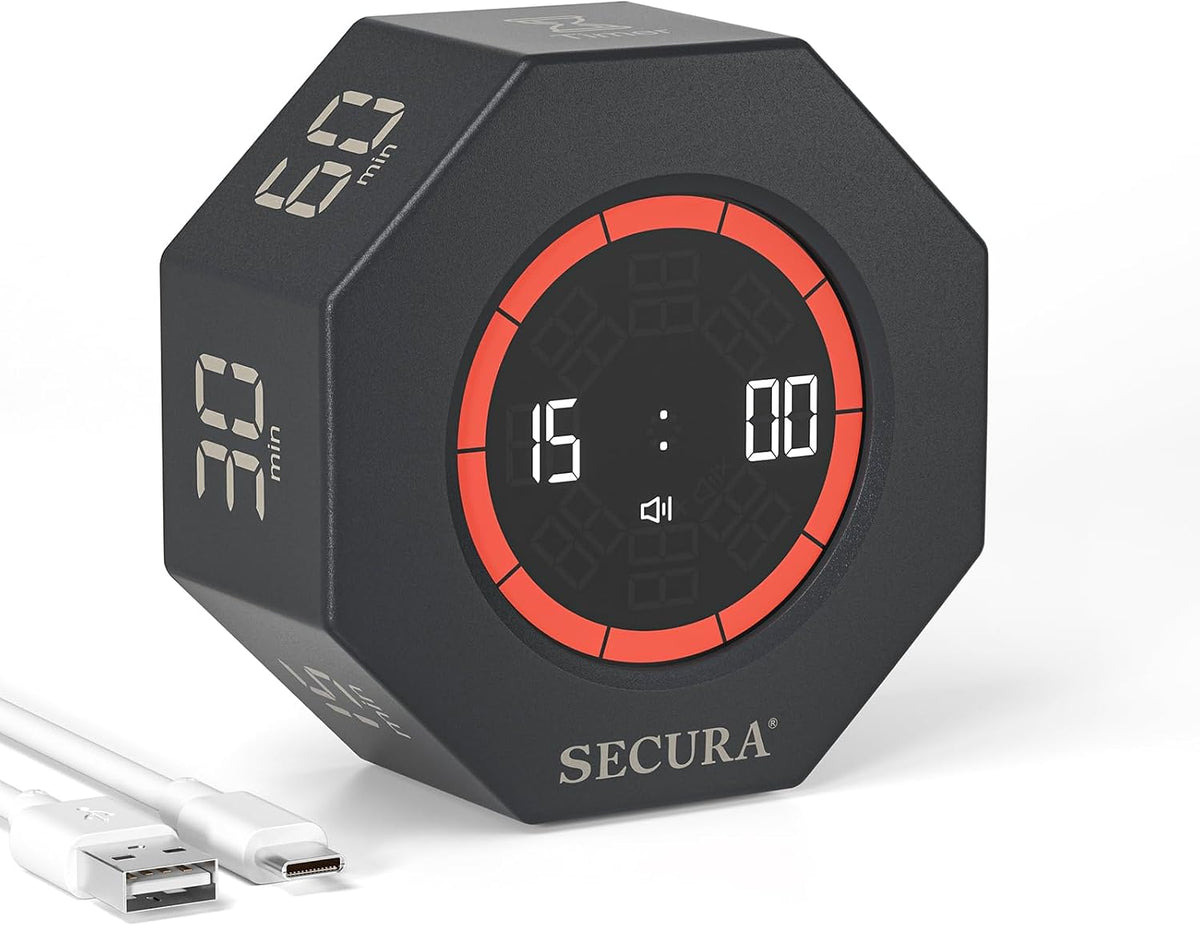
- Flip To Start Focus Instantly: Simply flip the timer with your desired number facing up to begin the countdown instantly. Designed for fast, distraction-free time management, this Pomodoro timer helps improve focus, productivity, and daily task organization for work, study, reading, and routines.
- 7 Pre-set Time: Secura rotating timer features 7 preset timer options: 1, 3, 5, 10, 15, 30, 60 minutes — ideal for Pomodoro sessions, homework, meetings, exercise, cooking, gaming, and productivity workflows. Easily pause or reset with a simple flip.
- Visual Progress Bar: The unique 10-segment visual progress ring clearly shows how much time remains, helping users stay engaged and focused without constantly checking the clock. A helpful visual productivity tool for ADHD adults, students, and kids.
- Adjustable Volume & Count UP: This cube timer supports Silent, Normal, or Loud alert settings for any environment, from libraries to offices. Includes count-up mode up to 99 minutes and 59 seconds, perfect for tracking focus sessions, workouts, reading, and tasks.
- Portable & Rechargeable: Compact, modern, and USB rechargeable, this desk timer fits easily into backpacks, office desks, study spaces, classrooms, kitchens, and productivity setups. A practical focus tool for students, professionals, teachers, and remote workers.
Overview
- Color : White
- Brand : Secura Brands
- Material : Plastic
- Turn on the timer by pressing the ON/OFF button.
- Flip the timer with the number you want facing up to start the countdown.
- Just turn the timer screen facing up to pause the countdown.
- Turning the timer screen down or "Timer" facing up will reset the countdown.
- With the "Timer" facing up, the screen displays 00:00, then press the power button once to start counting.
- The maximum count-up time is 99 minutes 59 seconds.
- Press the volume button on the back to switch between mute→loud→normal.
- How to use? Turn on the timer by pressing the ON/OFF button. Flip the timer with the number you want facing up to start the countdown. The video showcases the product in use. The video guides you through product setup. The video compares multiple products. The video shows the product being unpacked. How to use?
- Pause timer Just turn the timer screen facing up to pause the countdown. The video showcases the product in use. The video guides you through product setup. The video compares multiple products. The video shows the product being unpacked. How to pause?
- Reset Turning the timer screen down or "Timer" facing up will reset the countdown. The video showcases the product in use. The video guides you through product setup. The video compares multiple products. The video shows the product being unpacked. How to reset?
- Count up Turn on the timer by pressing the ON/OFF button. With the "Timer" facing up, the screen displays 00:00, then press the power button once to start counting. The maximum count-up time is 99 minutes 59 seconds. The video showcases the product in use. The video guides you through product setup. The video compares multiple products. The video shows the product being unpacked. How to count up?
- How to set the volume Press the volume button on the back to switch between mute→loud→normal. The video showcases the product in use. The video guides you through product setup. The video compares multiple products. The video shows the product being unpacked. How to adjust the volume?
- Previous page
- Gravity Sensor
- Visual Focus
- Adjustable Volume
- Low Power Consumption
- The video showcases the product in use.
- The video guides you through product setup.
Share